



Lesson 25. Working with patterns of 64-bit errors in practice
This article contains various samples of 64-bit and parallel errors which are collected in PortSample example project. However starting from version 3.63, PVS-Studio distribution package includes newer example project which is called OmniSample. Therefore certain screen-shots in this article are no longer relevant.
We have finished studying 64-bit error patterns and perhaps you would like to experiment a bit with unsafe constructs and try PVS-Studio to detect them. You may fulfill your wish by installing the demo project PortSample included into PVS-Studio (Figure 1).

Figure 1 - Installing PortSample project included into PVS-Studio
PortSample is a common C++ project that may be opened both in Visual Studio 2005 and Visual Studio 2008 (Figure 2).

Figure 2 - You may use both Visual Studio 2005 and Visual Studio 2008 to study PortSample
The project PortSample has a collection of examples for all the diagnostic warnings generated by the static analyzer Viva64 included into PVS-Studio when testing 64-bit projects. The warning messages are rather few (at the moment of writing this text, there are 25 messages), but each warning message covers a range of incorrect constructs. It allows us to arrange all the 64-bit errors into common groups with common descriptions. It enables us to avoid repeating the description of one and the same kind of errors in various forms for many times in the documentation. So you can not only look through the PVS-Studio documentation but really read it to learn all the specifics of 64-bit software coding.
PortSample program's interface shown in Figure 3 makes it convenient to launch the code fragments you are interested in. We do not find it necessary to describe the content of the project in detail - you may study the code you need by yourself. You may also read the article "Some examples of the 64-bit code errors" where 64-bit errors are thoroughly described by an example from PortSample project.
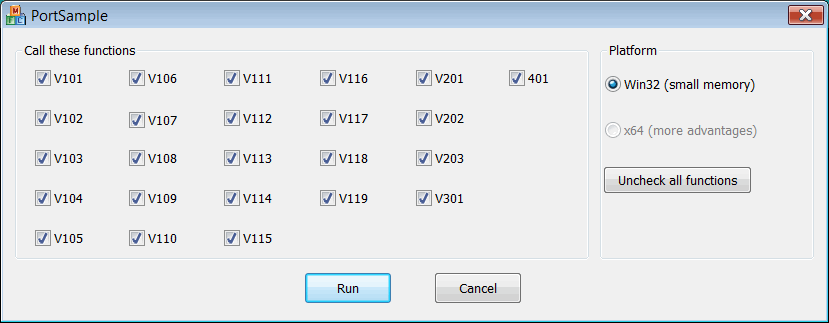
Figure 3 - The program's interface
Note one very important thing concerning the use of the demo version of PVS-Studio. When the demo version is used to check the code, it detects all the potential errors but shows the exact location in the code of only some of them. Instead of the line number you see the text "TRIAL RESTRICTION" as shown in Figure 4.
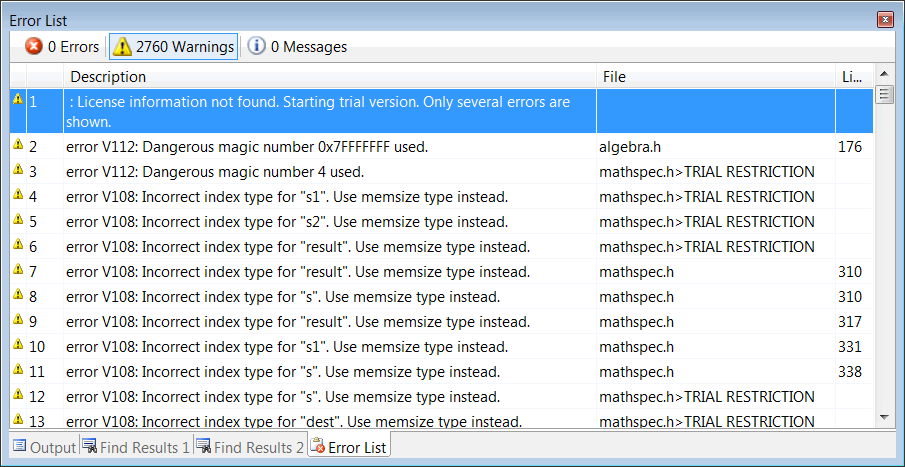
Figure 4 - The demo version of PVS-Studio does not allow you to see all the errors in the code when checking a 64-bit project
When the demo version of PVS-Studio is run with the project PortSample, it shows the location of all the errors. That is, PVS-Studio does not have any restrictions when dealing with samples (see Figure 5). You may modify the PortSample files with errors as you like and thoroughly study PVS-Studio's behavior when processing the code you have written.
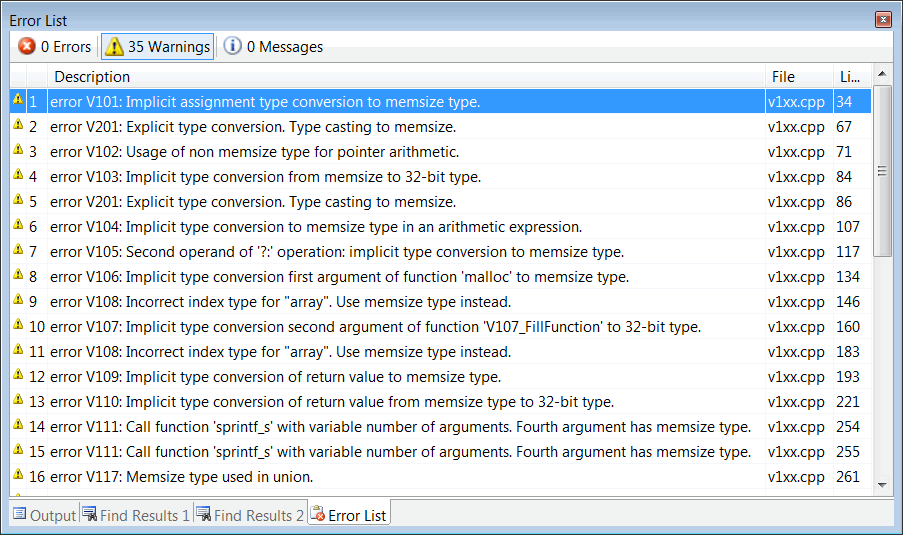
Figure 5 - PVS-Studio demo version shows the numbers of all the lines that contain errors in the project PortSample
If you have questions about using PVS-Studio and PortSample project, ask the tool developers. We will be glad to receive your feedback and recommendations on how to improve PVS-Studio analyzer. Write to us by the address support@viva64.com.
The course authors: Andrey Karpov (karpov@viva64.com), Evgeniy Ryzhkov (evg@viva64.com).
The rightholder of the course "Lessons on development of 64-bit C/C++ applications" is OOO "Program Verification Systems". The company develops software in the sphere of source program code analysis. The company's site: http://www.viva64.com.